Bills, forecast and cards
Find your recurring bills, see the next 30 to 90 days as a calendar, keep card utilization in your target band, and track a mortgage from today's balance.
Recurring bills#
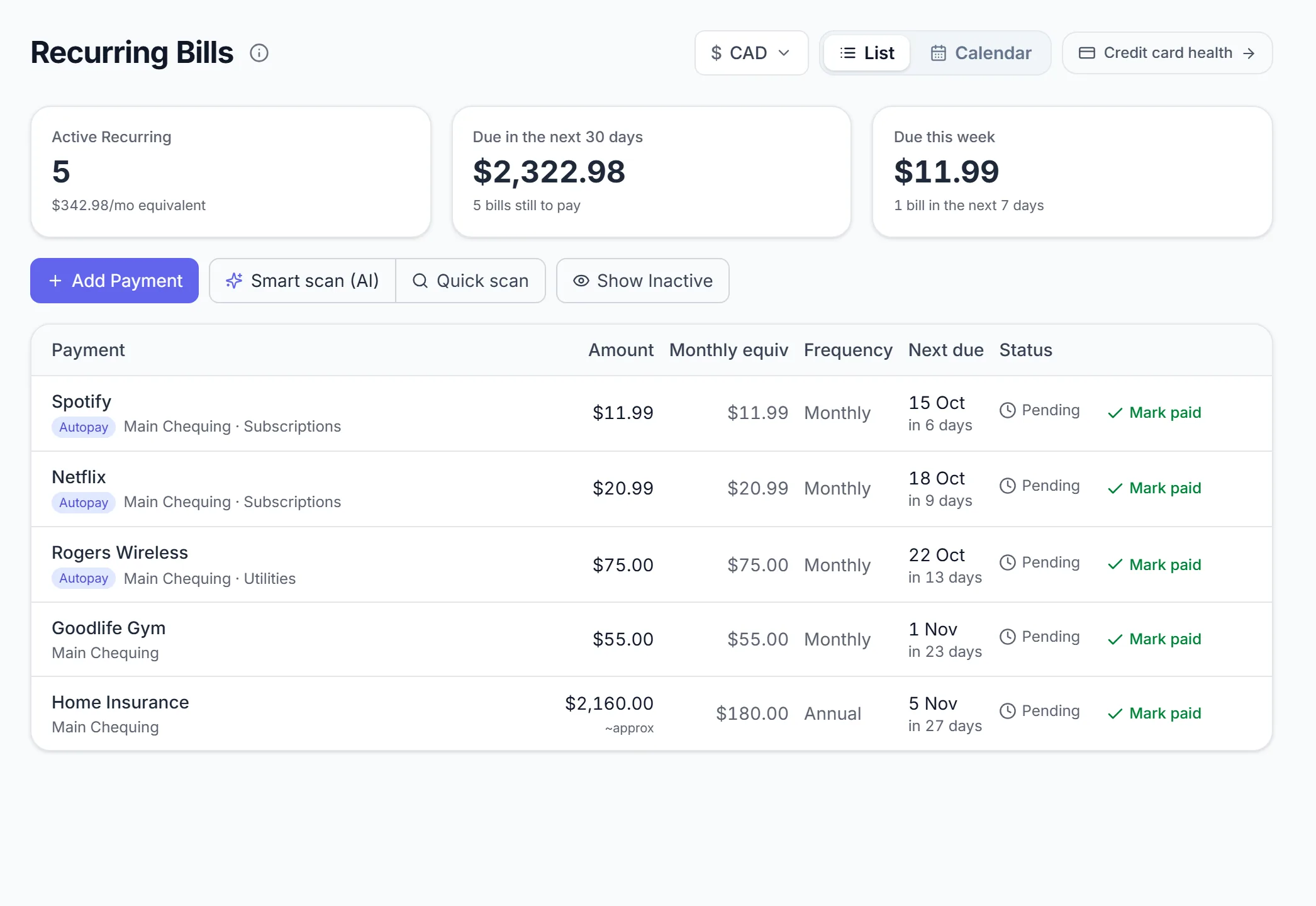
Recurring Bills finds the charges that repeat and shows what is coming.
Find them#
Choose a scan on Recurring Bills:
| Scan | How it works |
|---|---|
| Quick scan | Checks how regular the interval, amount and day of month are, against a built-in list of known subscriptions and utilities. Nothing leaves Orbiq. |
| Smart scan (AI) | The same checks, plus AI to classify merchants Quick scan does not know. Only merchant names are sent, never amounts or account details. |
Each result shows how often it charges, the last amount and the next expected date. Add the ones you want to track.
Keep them right#
- Add Payment (or n) logs a bill by hand.
- Give a bill an end date (a lease ending in March, a twelve-month phone plan) and it leaves your forecast, reminders and assistant answers. Its payment history stays.
- Mark it autopay, or amount varies for utilities.
- Switch the page between List and Calendar. Mark paid settles a bill for this cycle.
Price creep. When a subscription quietly goes from $11.99 to $13.99, Orbiq flags the rise and shows every increase with its date. Cancelled something? Mark cancelled, and Orbiq tells you if it charges again.
Reminders: Notifications.
Forecast and cash calendar#
Forecast projects your balance over the next 30, 60 or 90 days, built only from what you have entered: confirmed recurring bills, card statements, scheduled loan payments and recurring income. Nothing is guessed, and anything it could not include is counted on screen beside the figure.
Two opt-in estimates sit under the chart: Include expected income from my pay pattern and Also show my typical variable spend.
Calendar#
Web Switch the view to Calendar for a grid of days: a dot for each thing due, and the balance you would close each day on.
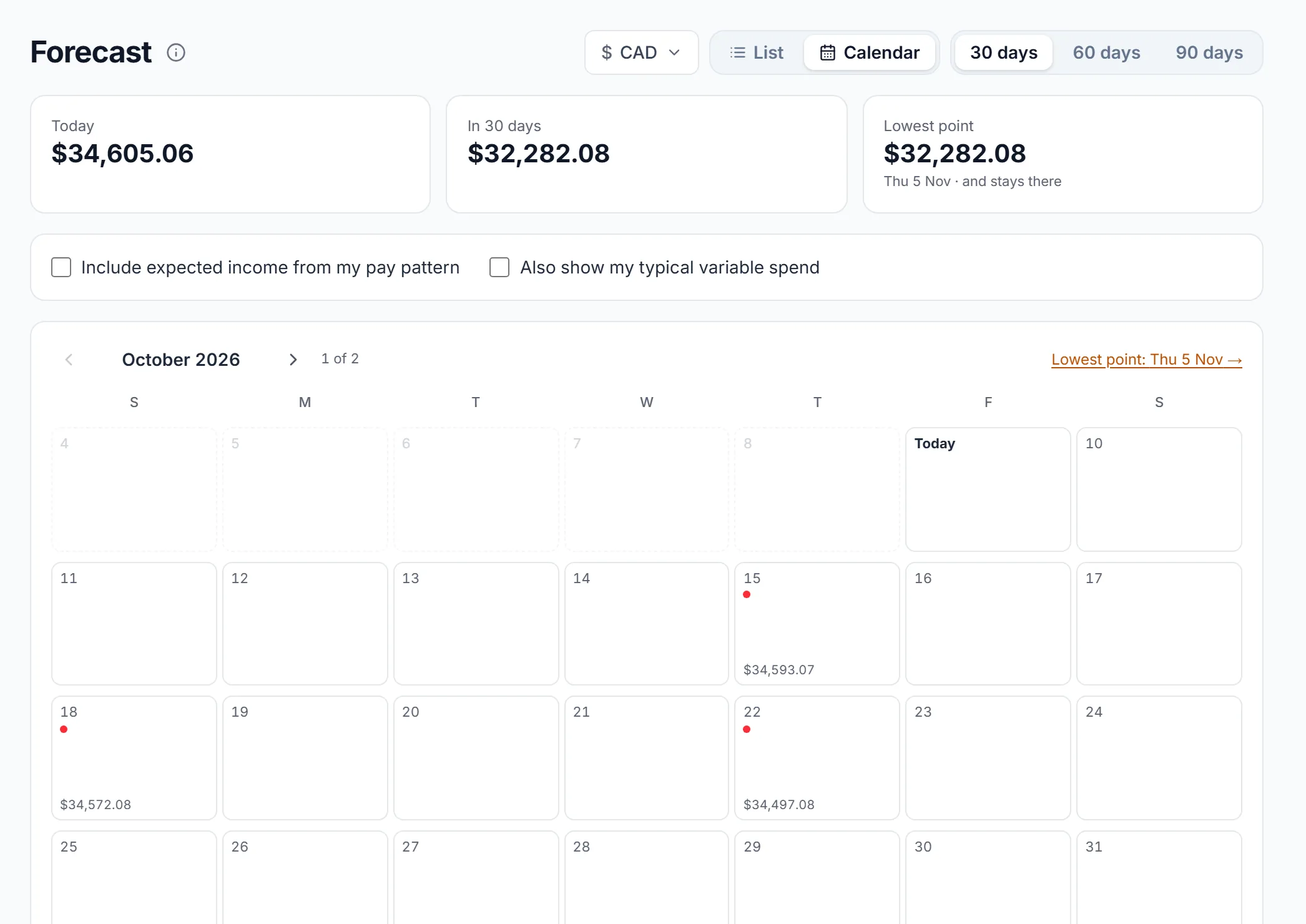
The tightest day is ringed and any day below zero is red, so "does rent clear before payday?" is a colour, not arithmetic.
Forecast sits in the sidebar once you have a recurring bill. Hide it in Settings → Features & navigation.
Credit cards#
Credit Cards has two tabs: Card Health for utilization and due dates, Rewards for what each card earns. It appears with your first card account.
Set a card up#
On the card (Accounts, or Configure Your Cards on Card Health) fill in:
| Field | Why |
|---|---|
| Credit limit | Utilization is balance ÷ limit. |
| Statement closing day | The day your balance is reported to the credit bureau. |
| Payment due day | When the bill is due, for due and past-due reminders. |
| Utilization target | The band you want the reported balance in, say 30%. |
Chequing and savings accounts do not have these fields.
Card Health#
For each card: the balance this cycle, its limit, utilization against your target, and how much to pay before the statement closes to land under it. Under target means nothing to pay down this cycle. A late bill stays marked Past due until it is paid.
These are signals for healthy credit habits. Your score depends on what you do; Orbiq never promises a number.
Rewards#
- Which card should I have used? For each purchase, what it earned against what your best other card would have, with the monthly cap left. Points are valued with their transfer partners; reward rates seeded by Orbiq are marked unverified until checked.
- Which card should I use? Ask before you pay.
- Merchants on the wrong card and Missed by category show where a different card earns more.
- Can't use this card here? Orbiq asks whether a store takes a card you have never used there, instead of counting rewards you could never have earned.
Mortgage and loans#
Mortgage & Loans is a Lab: turn it on in Settings → Features & navigation.
Start from what you owe today: balance, rate, payment, how often, next payment date. No original paperwork.
- Orbiq builds the schedule: every payment split into principal and interest, and the payoff date. Canadian mortgages compound semi-annually, as lenders there do.
- Log a balance check-in when a statement arrives and the schedule re-anchors. On Orbiq Connect the balance syncs and re-anchors itself.
- What if: try an extra amount every payment, or a lump sum now, and see the payoff date and the interest you would skip. Export the full schedule as CSV.
Orbiq tracks the debt, never a guessed value of the house. The what-if is arithmetic on your own terms, not advice.
Something missing or unclear? [email protected]